
Quick Brief - for the hiring manager
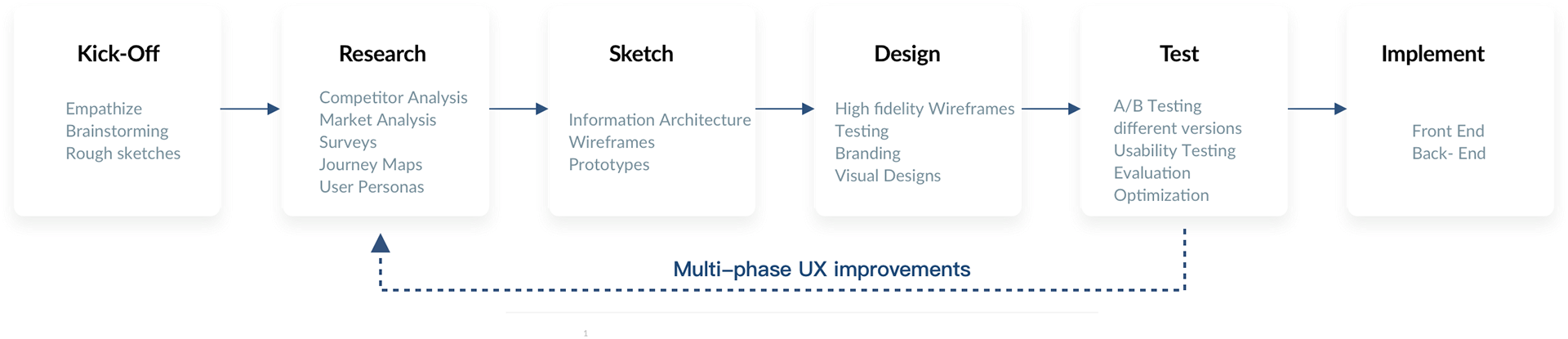
Context & Problem
Splitwise had 5 million Android downloads alone. Venmo dominated the US with 10M+ users, but Splitwise penetrated deeply in India and internationally. Despite massive adoption, user satisfaction was near zero.
As a heavy user, I felt the friction firsthand. Living with roommates meant splitting recurring bills, tracking shared expenses, and navigating money's emotional awkwardness. The app failed at the exact problem it was built to solve, and users defaulted to their calculator for anything beyond equal splits.
Research Strategy
Three research pillars: mining critical reviews for unfiltered pain points, direct user interviews, and competitive analysis.
2.1 - App Review Mining
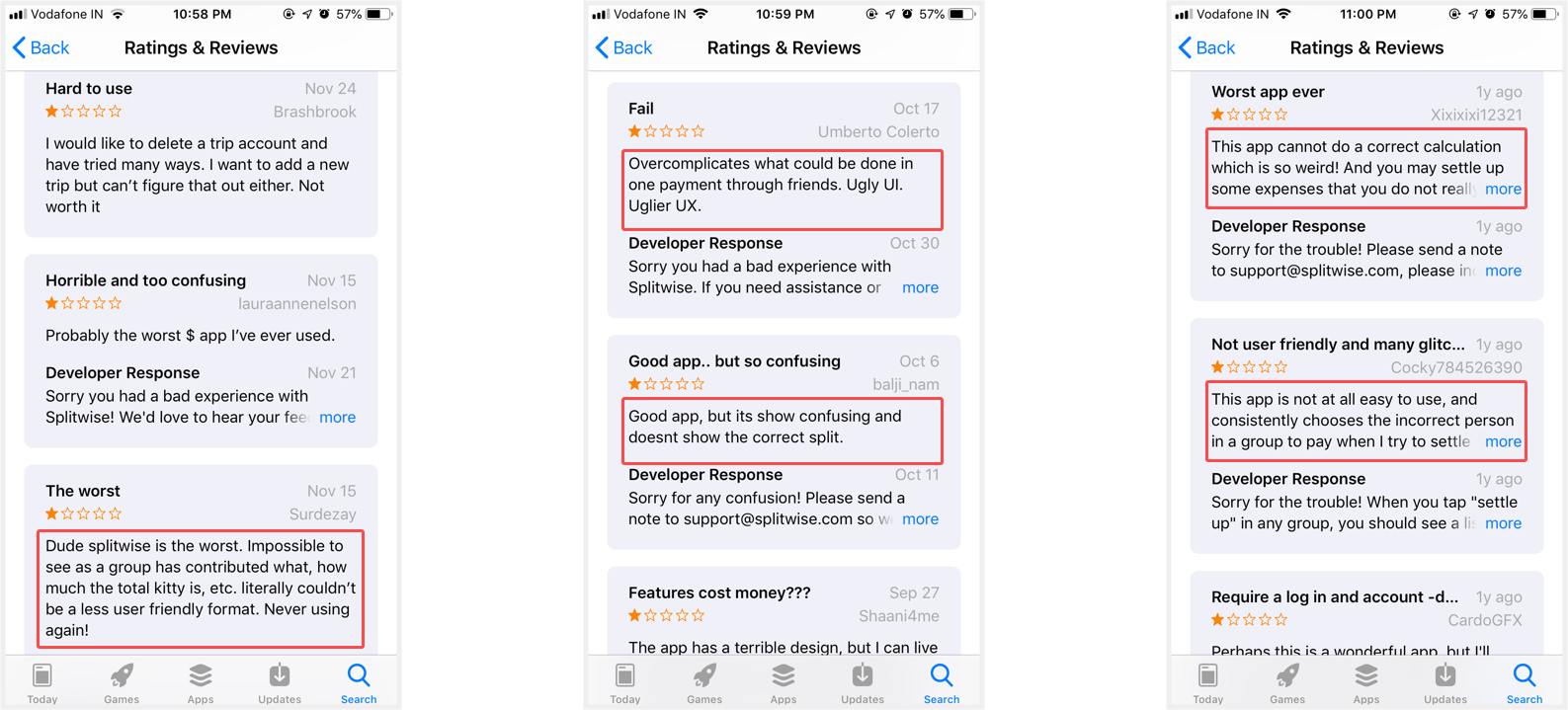
1-star and 2-star reviews on Google Play and the App Store became my primary research corpus. Brutally honest, users complained about:
- No way to exclude themselves from items they didn't consume
- Confusing math and convoluted payment reconciliation
- Difficulty finding quick actions - too many taps
- Completely different experiences between iOS and Android
- Clunky language that felt like accounting software, not a friendly app
2.2 - User Interviews
I interviewed friends and roommates who were heavy users. The pattern was unanimous: they loved Splitwise for tracking but hated it for anything complex.
The common refrain: "I like that it exists. But I hate that it's so hard for unequal splits."
2.3 - Competitive Analysis
Market landscape at 2016:
| Product | Android Users | Key Feature | Gap vs Splitwise |
|---|---|---|---|
| Venmo | 10M+ | P2P payment | Focused on settling up, not splitting bills |
| Splitwise | 5M+ | Equal splits | No itemized splitting, platform inconsistency |
| Tab (other app) | 50K | Simple splits | Too basic, no recurring expenses |
The insight: the real competitor was the calculator app. Users defaulted to manual math because it felt faster than wrestling Splitwise's UI for anything beyond equal splits.
Ideation & Concept
3.1 - Use Cases
Seven recurring scenarios where unequal splits broke the current system:
3.2 - Brainstorming & Sketching
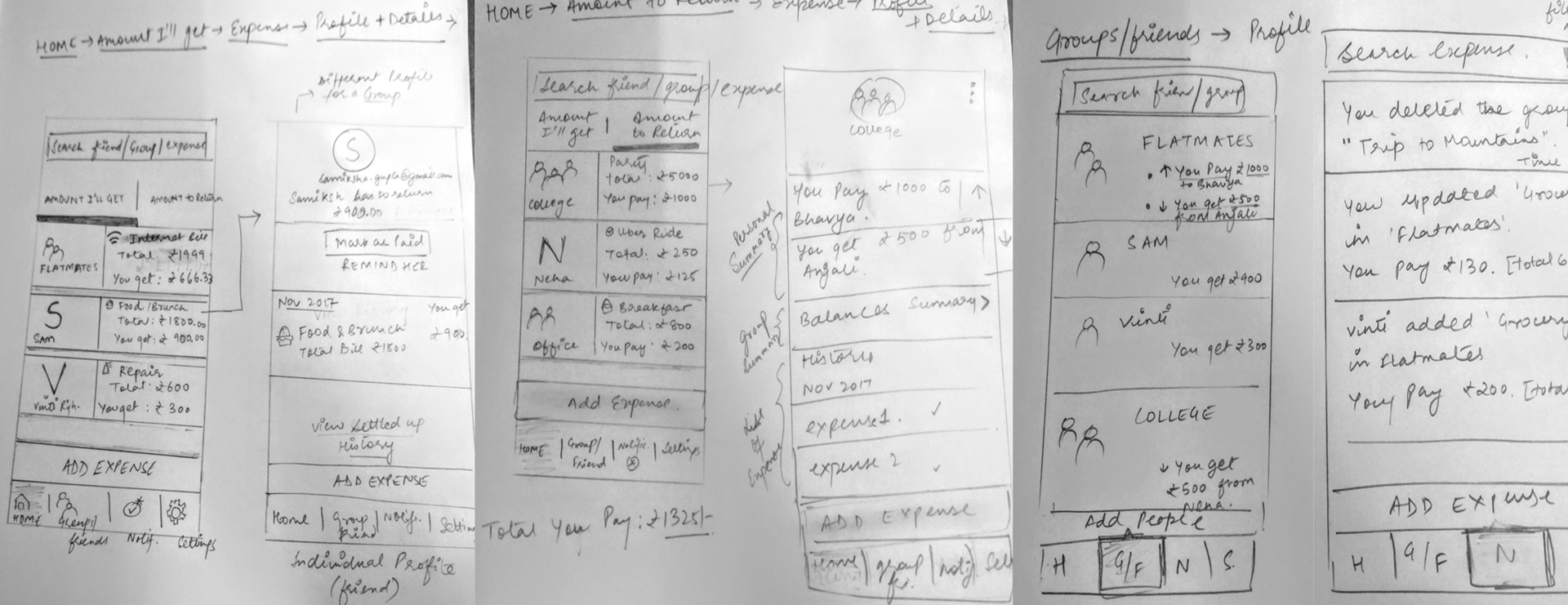
Sketched multiple approaches to itemized splitting. The core insight: make it so visual and simple that users never have to think. Instead of forms and math, show receipt line items with names assigned inline.
3.3 - The "Split-Wisely" Concept
Split-Wisely was the centerpiece: photograph a receipt, API parses line items, users tap to assign each item to people. Alcohol? Exclude yourself. Netflix? Split among streamers. Simple, visual, forgiving.
The name was aspirational: "split wisely" meant handling the emotional and practical complexity of shared money. Not just splitting bills, but splitting them fairly.
Design & Execution
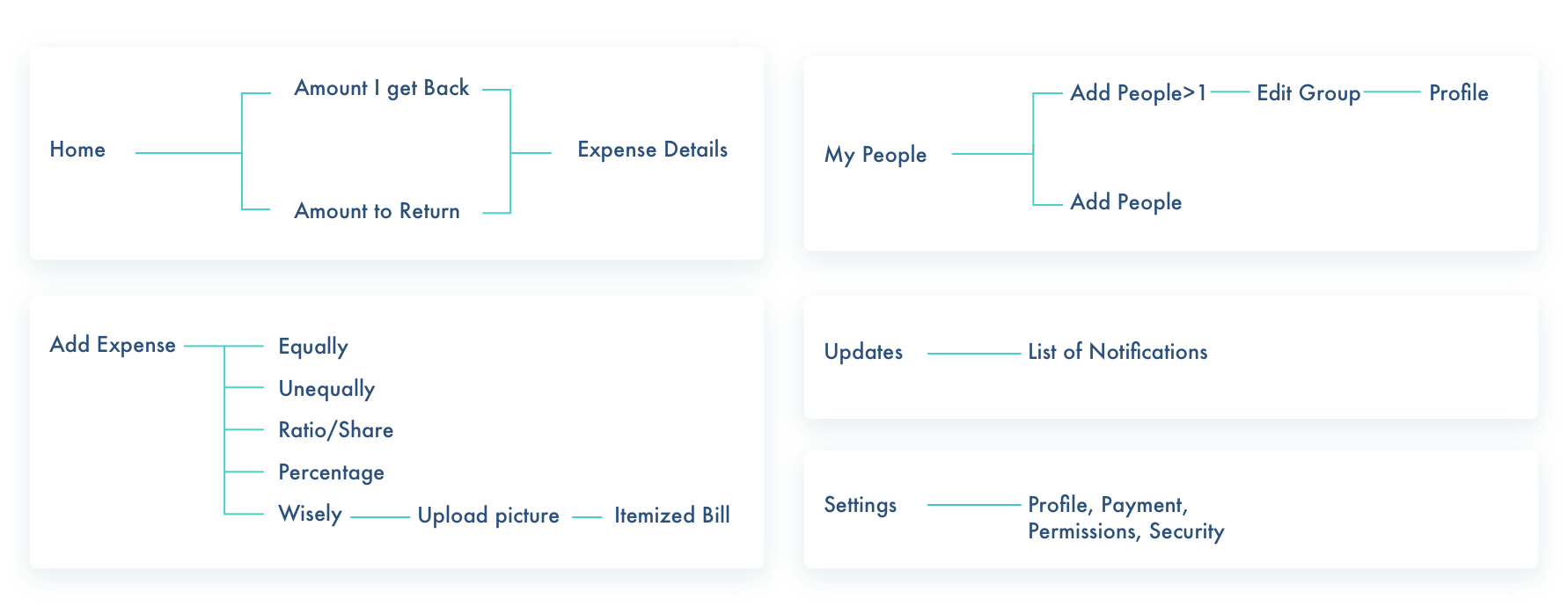
4.1 - User Flows & Navigation
Mapped the critical flows: adding a bill, splitting (equal vs. unequal), itemizing via Split-Wisely, and settling up. Each prioritized speed and clarity over feature breadth.
4.2 - Low-Fi to Hi-Fi Wireframes
Started with pencil sketches, then moved to Sketch for medium-fidelity wireframes focused on layout and information hierarchy. Tested assumptions about where users expected key actions.
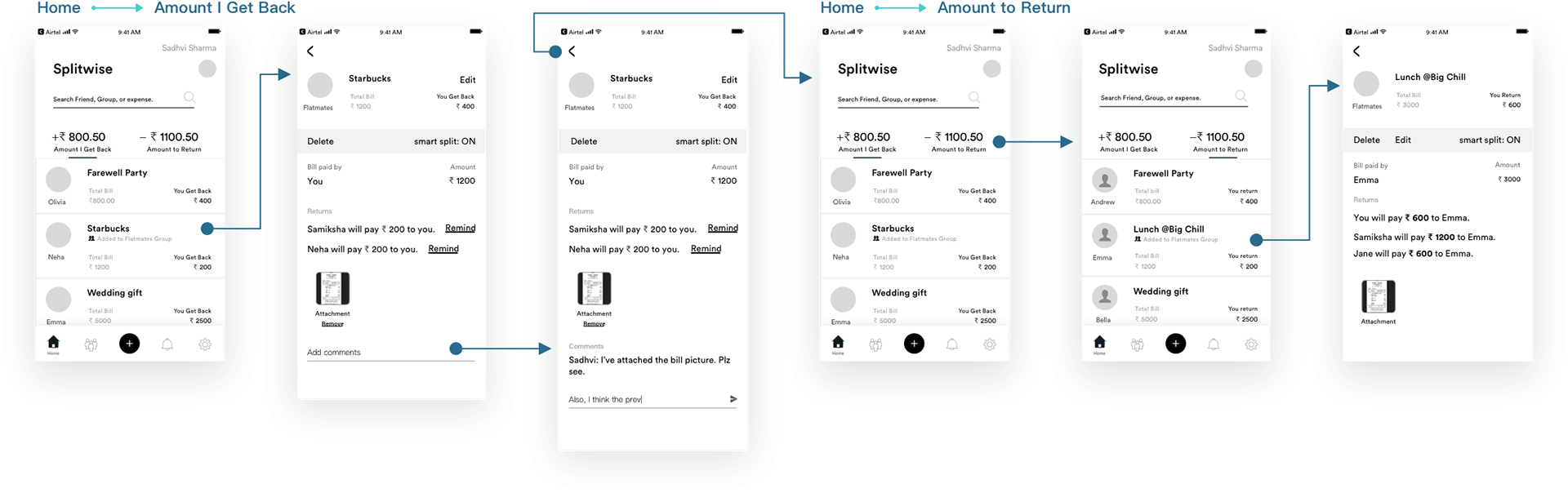
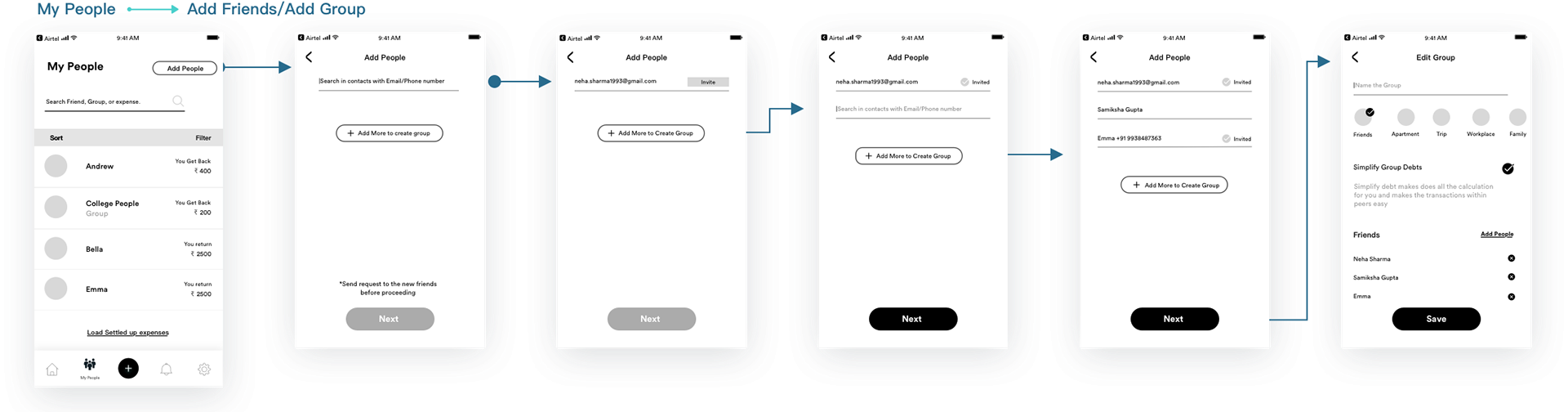
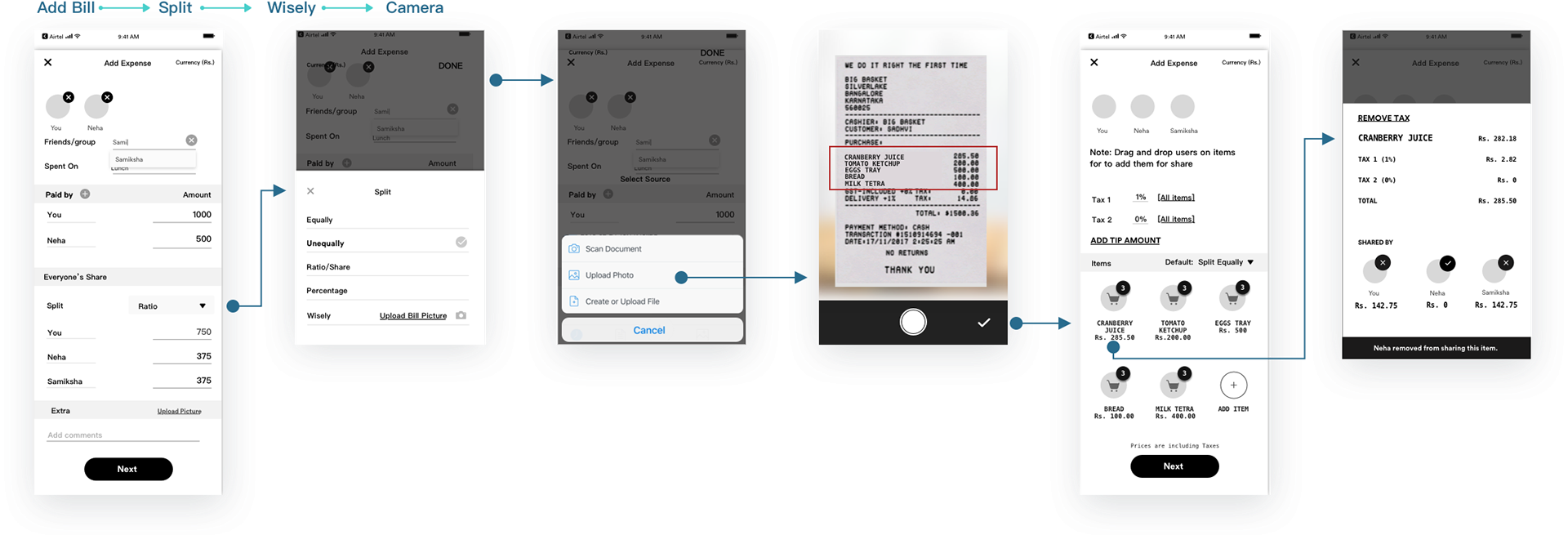
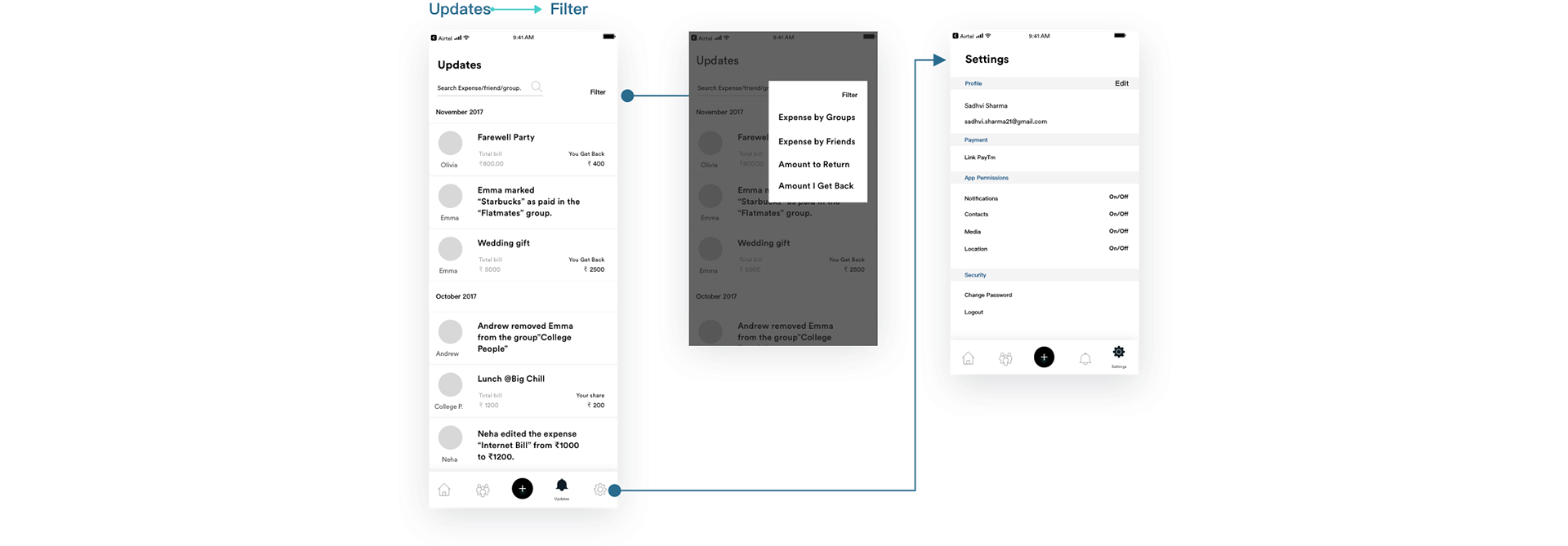
4.3 - Rebrand: Color Psychology & Brand System
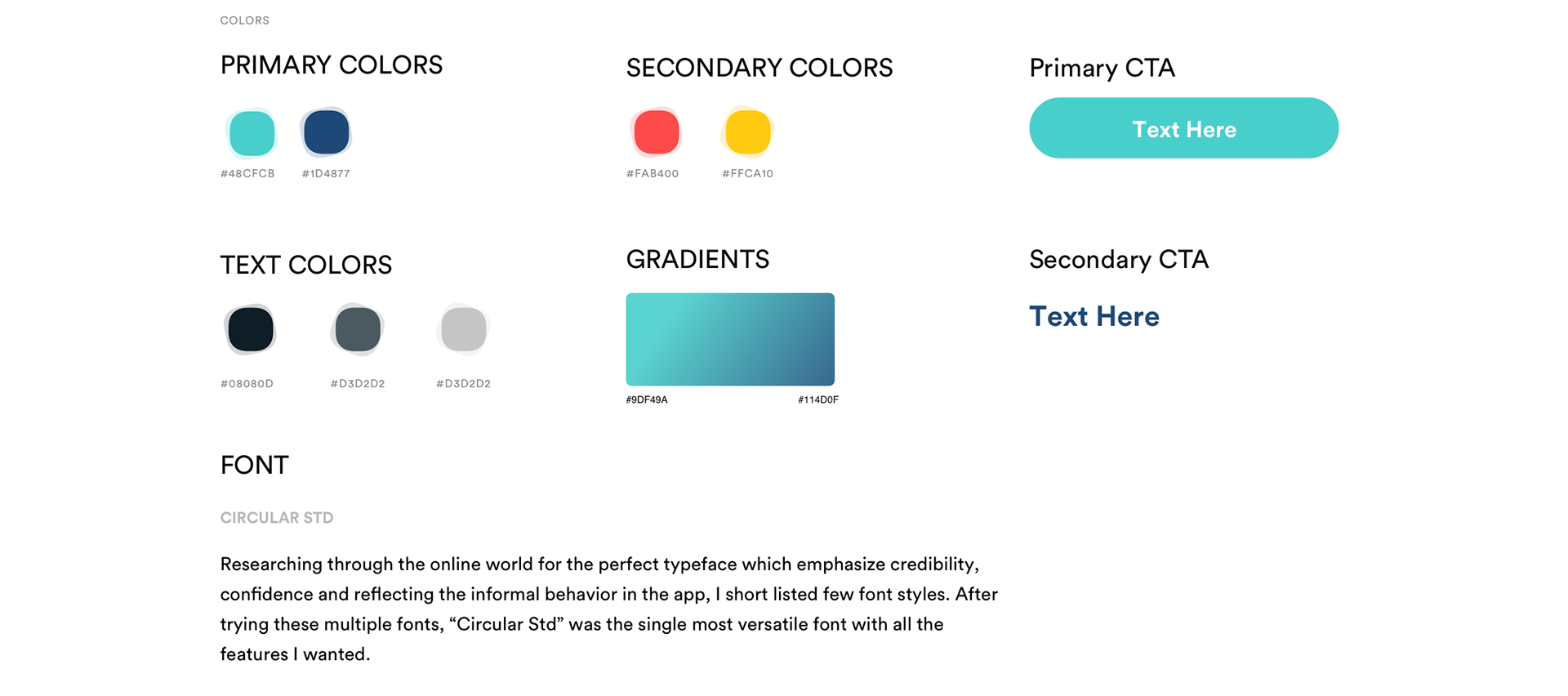
The original Splitwise used a saturated, demanding green (#2ECC71) that felt transactional and urgent. The redesign moved toward softer greens (#1CC29F), blue accents for trust, and warm neutrals for approachability. The palette communicated: "Splitting money is awkward, but we're handling it together."
Defined the full brand system: colors, gradients, CTA styles, and typography. Chose Circular Std for its credibility and informal warmth, reflecting how the app should feel when handling money between friends.
4.4 - Visual Design & Hi-Fi Mockups
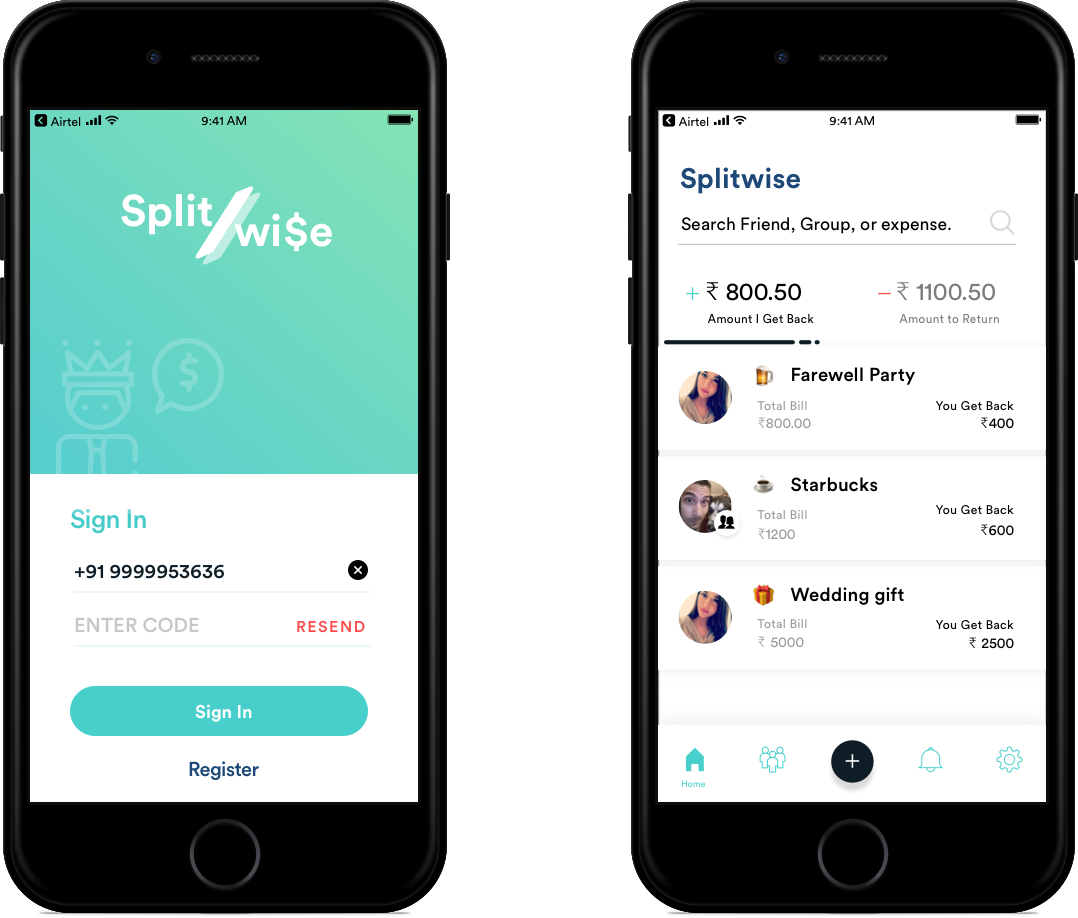
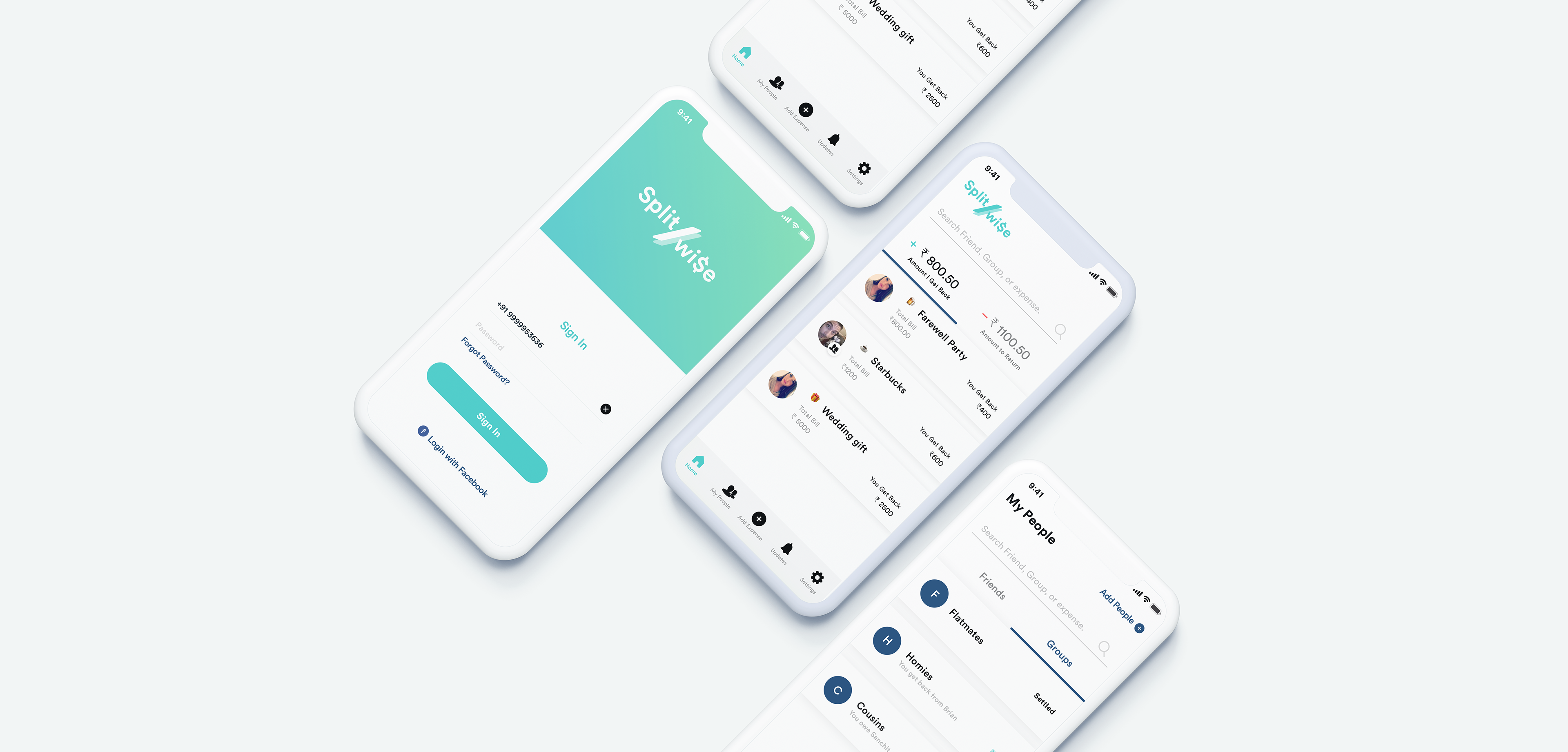
High-fidelity mockups brought the experience to life, testing typography, spacing, interaction states, and the Split-Wisely itemized billing screen.
Outcomes & Impact
2020 Update: Validation
Four years after this 2016 redesign, Splitwise shipped an update that validated every core concept.
6.1 - What Splitwise Shipped
In 2020, Splitwise introduced:
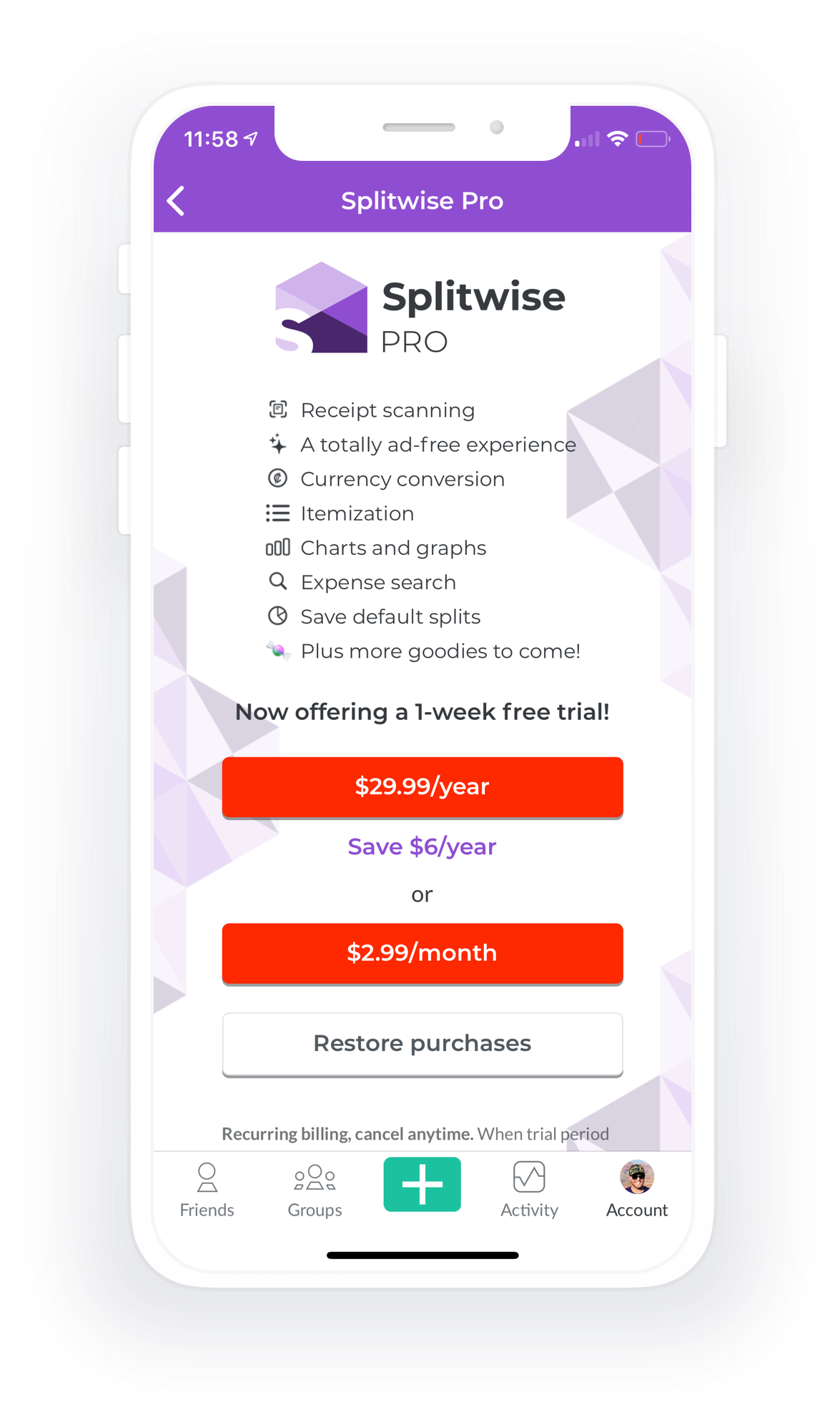
- Receipt scanning and itemized splitting - exactly the Split-Wisely flow designed in 2016
- Unequal splits - the core use case that broke the old system
- Premium tier for the feature - recognizing its value and complexity
The 2020 feature was nearly identical in execution to the 2016 design. Different teams, different code, four years of market evolution, but the same insight arrived at the same solution.
6.2 - The Market Timing Question
Why the four-year gap? Several factors:
- OCR/ML maturity - receipt scanning via computer vision was harder in 2016 than 2020
- Mobile API access - accessing camera and gallery was more restricted in 2016 iOS
- Server costs - parsing receipts at scale required infrastructure investment
- Market pressure - by 2020, competitors and demand made the feature essential
The idea wasn't wrong in 2016. The market just wasn't ready for the execution cost.
Learnings
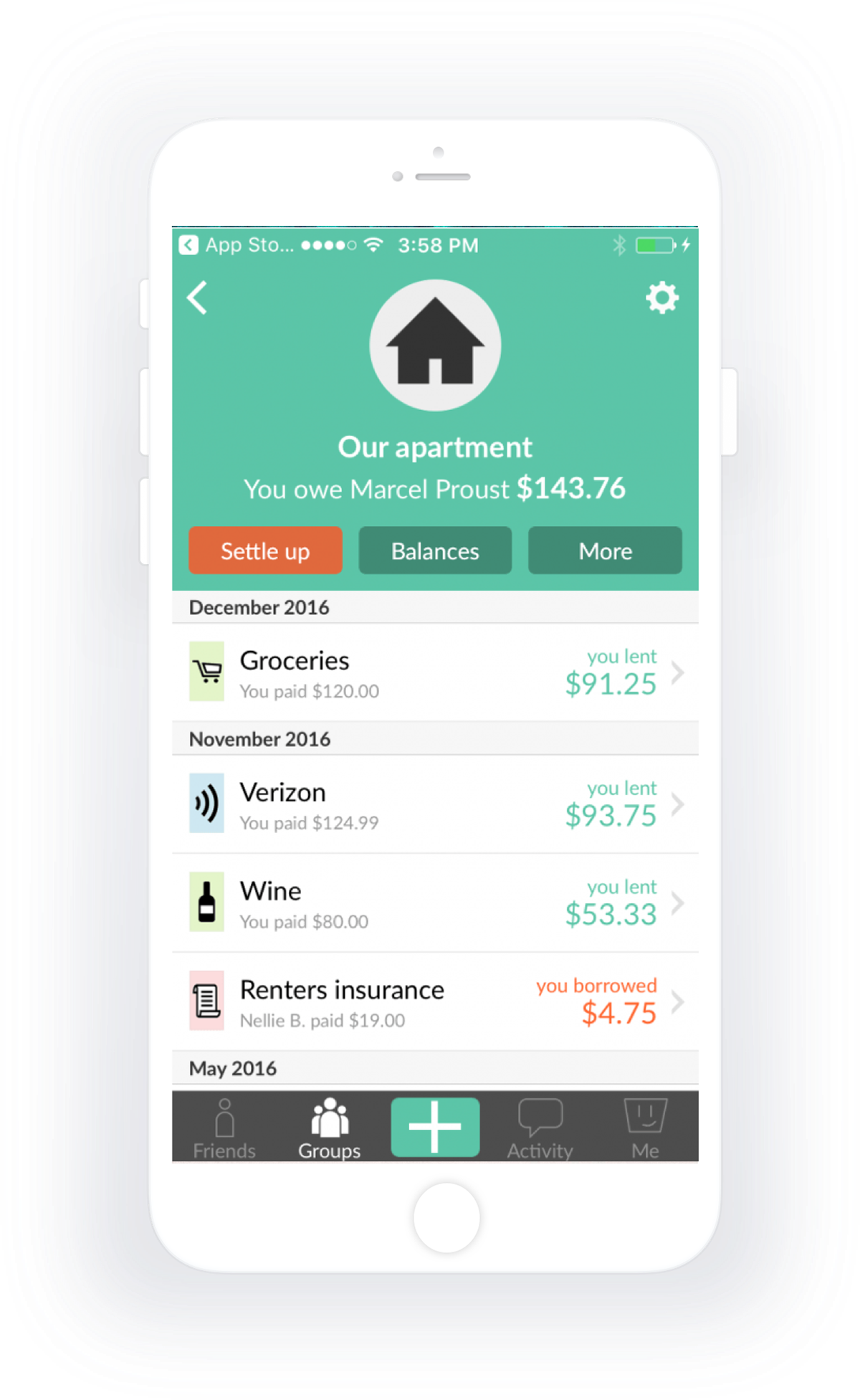
This project showed me that good design thinking outlives its initial context. The core insight, that itemized splitting is essential and emotional design matters more than functional polish, was right in 2016 and stayed right until the world caught up in 2020.
Sometimes the best validation is quiet: shipping years later under a different name, confirming the instinct was sound all along.